 XY Camera
A tactile iPhone video and photo camera — manual shutter angle, ISO, and focus dials, real-time 3D LUTs on Apple Log, seven retro video looks, and dual-camera recording. No subscriptions, everything on-device.
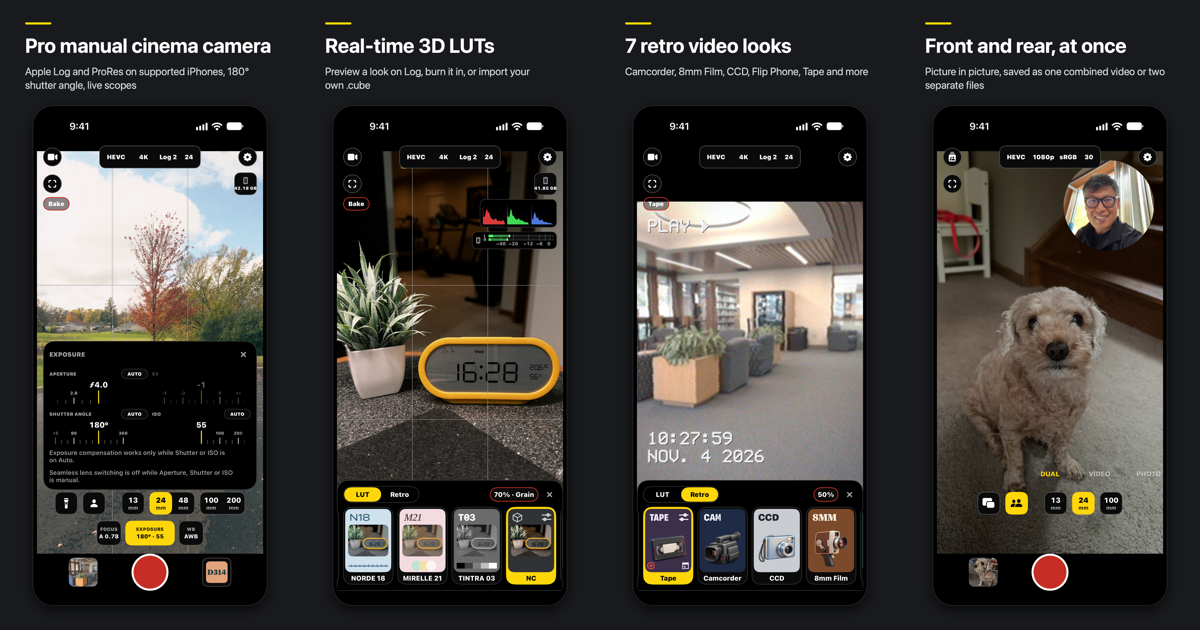
XY Camera turns an iPhone into a manual video and photo camera: tactile scrubber dials for shutter angle, ISO, white balance, and focus, real-time 3D LUTs over Apple Log and ProRes, seven era-specific retro video looks, and simultaneous front-and-rear dual-camera capture.
Why I built it (and why it’s called XY)
I shoot a lot of video on my iPhone. The built-in Camera app is fast when you want everything automatic, and gets in the way the moment you want a 180° shutter angle, a locked Kelvin white balance, or a LUT preview over Apple Log. And almost every third-party pro camera on the App Store now wants a monthly subscription before it lets you hit record, or buries the viewfinder under a cockpit of tiny buttons.
I wanted a camera that stays out of the way of the frame, gives you real manual dials when you ask for them, and doesn’t rent you your own sensor by the month.
As for the name: in Chinese the app is 祥云相机 (Xiángyún, “auspicious cloud”). One of China’s biggest tech channels, 影视飓风 (Mediastorm), makes a camera app called 飓风相机 (Hurricane Camera). Out on the sea, an auspicious cloud is the exact opposite of a hurricane — and beats it.
Manual controls & live scopes
- Scrubber dials — dial in manual ISO, shutter speed or shutter angle (
180°), exposure bias (EV), Kelvin temperature and tint, and manual focus with a live loupe and haptic ticks. - Cinema formats — record in Apple Log, Apple Log 2, HLG HDR, or SDR using HEVC, H.264, or Apple ProRes (including Open Gate and direct recording to an external USB-C SSD on supported iPhone Pro models).
- Live scopes & metering — a GPU-accelerated histogram (RGB, RGB Parade, or Luminance), rule-of-thirds grid, stereo microphone level meters, and a real-time recordable-storage readout that accounts for system reserves.
Real-time 3D LUTs & Retro video looks
Ten built-in film looks are tuned for Apple Log and Display P3, and you can import any .cube
3D LUT (up to 65³) — XY Camera automatically converts LUTs authored for Apple Log, Apple
Log 2, Rec.709, or other camera log curves so they grade accurately on the phone. You can
preview a LUT live while recording clean Log, burn (“Bake”) it straight into an HEVC take, or
grade and export takes afterward from the in-app Media library.
Switching to the Retro tab (up to 30 fps) trades modern sharpness for seven period video emulations with true-to-era frame cadences and optical textures: Camcorder (80s–90s home tape), 8mm Film (18 fps), CCD (2000s compact digicam), Cinema Film (24 fps), Flip Phone (15 fps), Instant, and worn Tape — each with adjustable strength and an optional classic date stamp.
In PHOTO mode, XY Camera shoots up to 48 MP stills in Apple ProRAW (DNG), HEIF, or JPEG with ten custom Display P3 photo looks.
Dual camera: Picture in Picture & Side by Side
DUAL mode runs the front and rear cameras at the same time — either as Picture in Picture (a rectangle, square, or circular floating window you can pinch to resize and snap to any corner) or a 50/50 Side by Side split. A take can be saved as a single composited video ready to share, or as two separate full-frame video files paired together in the Media library.
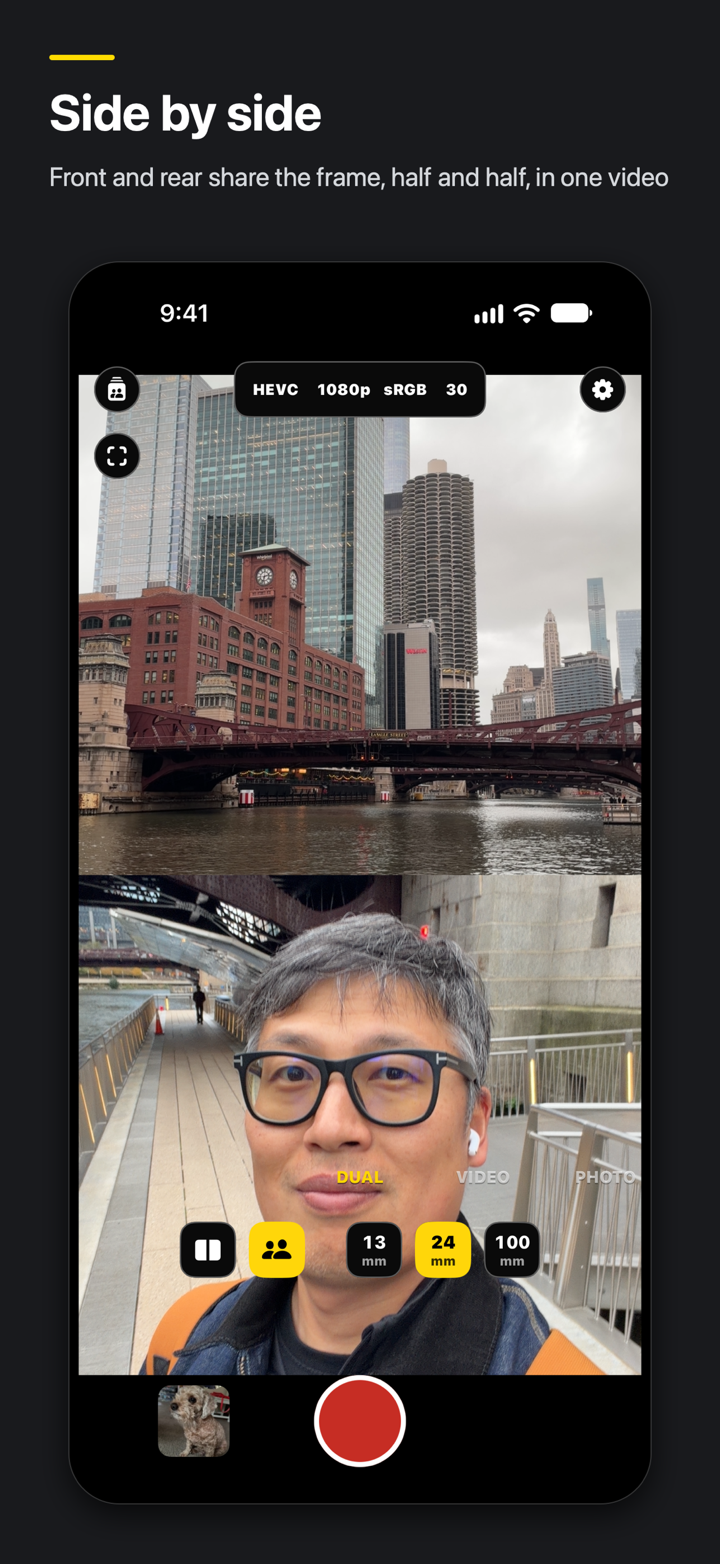
50/50 Side by Side in DUAL mode — front and rear cameras recorded together.
Built-in shooting guides
Rather than a wall of documentation, Shooting Tips inside the app uses wordless vector illustrations to explain shutter angle, exposure, white balance, and lens framing — each with a Try it button that applies the settings straight to the camera in one tap.
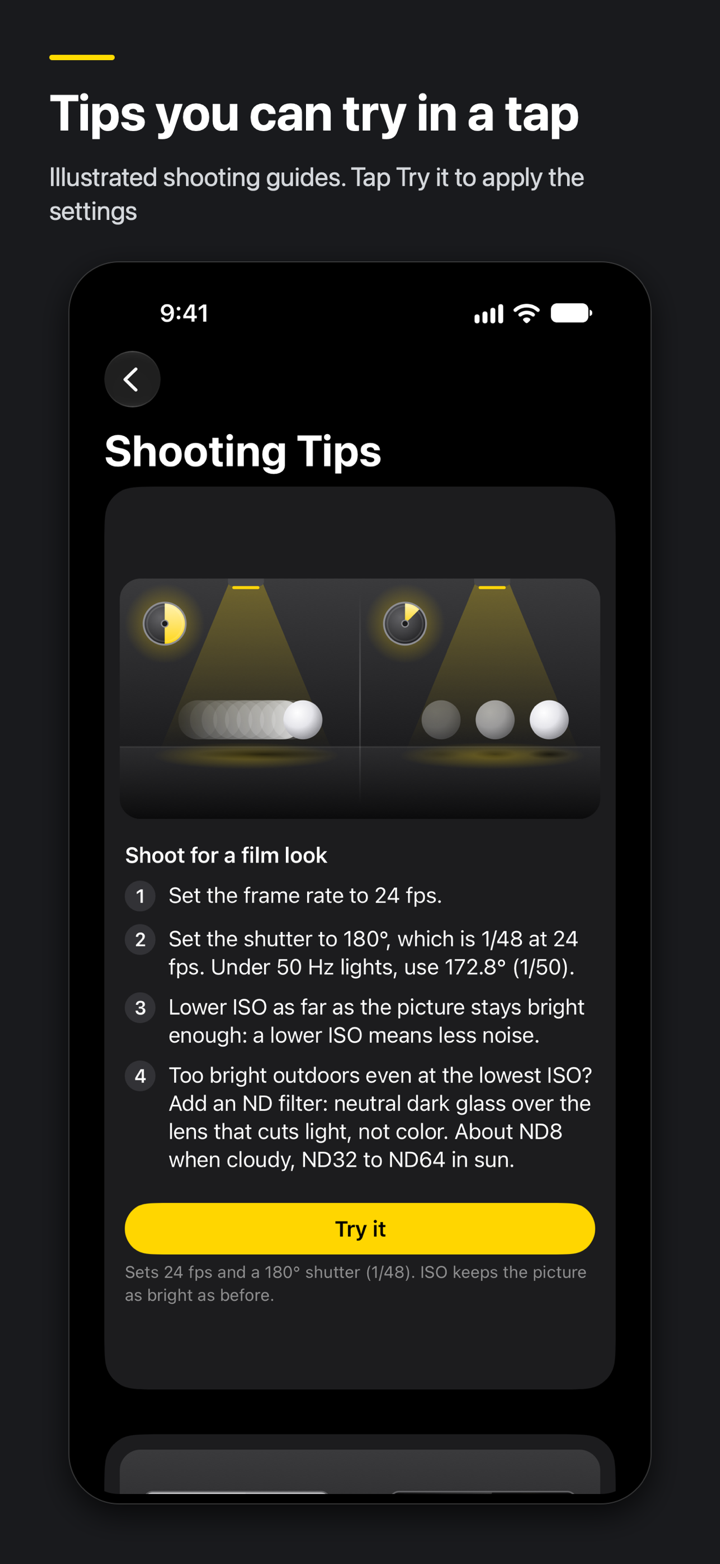
Illustrated shooting guides with a one-tap Try it button.
Under the hood
XY Camera is built in Swift 6 (strict concurrency), SwiftUI, Metal, and AVFoundation. To
avoid the sluggish orientation transitions of standard iOS rotation, the window and
CAMetalLayer stay locked in portrait while every control, dial, and toast rotates in place
around its own center as you turn the phone.
Everything runs on-device — no accounts, no analytics, no subscriptions.