 DOSCrate
A native macOS library manager and launcher for MS-DOS games — drop in a folder, ZIP, or disc image, get box art from LaunchBox, and play through a bundled DOSBox Staging runtime without writing a .conf file by hand.
DOSCrate is a native macOS library manager and launcher for MS-DOS games, written in Swift 6
and SwiftUI for Apple Silicon Macs. It pairs a Finder-friendly .doscrate bundle format
with a bundled DOSBox Staging runtime so you can import,
organise, configure, and play classic DOS games without writing .conf files by hand.
Why I built it
I grew up playing DOS games in the ’90s — my first computer was a 486 running DOS and Windows 3.1.
DOSBox Staging is a great emulator for revisiting those games today, and a terrible
bookshelf. Playing a pile of old DOS games on a Mac usually means a folder full of cryptic
eight-character directory names, a separate .conf file for each one, mount c commands in
[autoexec], and trying to remember whether the executable you want is PLAY.BAT,
GAME.EXE, or SIERRA.COM.
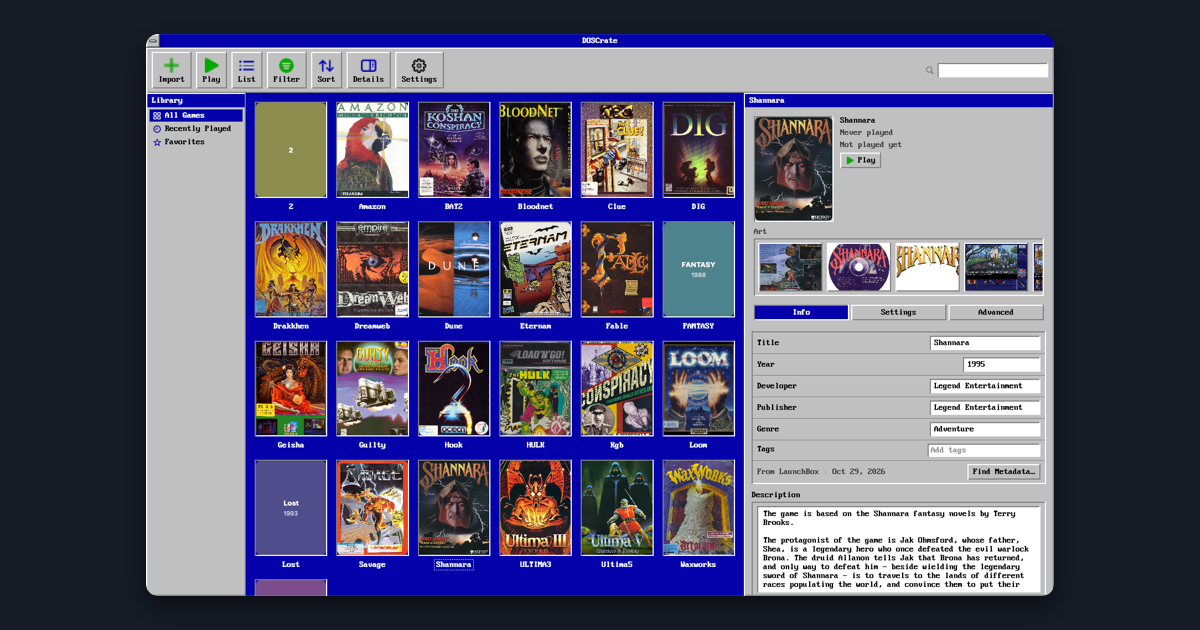
I wanted a shelf where every game is a box with a cover, clicking Play just launches it, and all the era-specific hardware switches live in an inspector instead of a text editor.
Importing & the .doscrate bundle
Drop a game folder, .zip archive, CD-ROM image (.iso, .cue/.bin), or floppy image
(.img, .ima) onto the window — or point it at a parent directory and import every
subfolder as its own game.
Each game can either be copied into the library as a self-contained .doscrate package or
kept in place via a security-scoped bookmark. On import, DOSCrate ranks the executables inside
to pick the main program and any setup utility (SETUP.EXE / INSTALL.EXE), matches the
game against the LaunchBox Games Database, and pulls
down the front box art, release metadata, and screenshots.
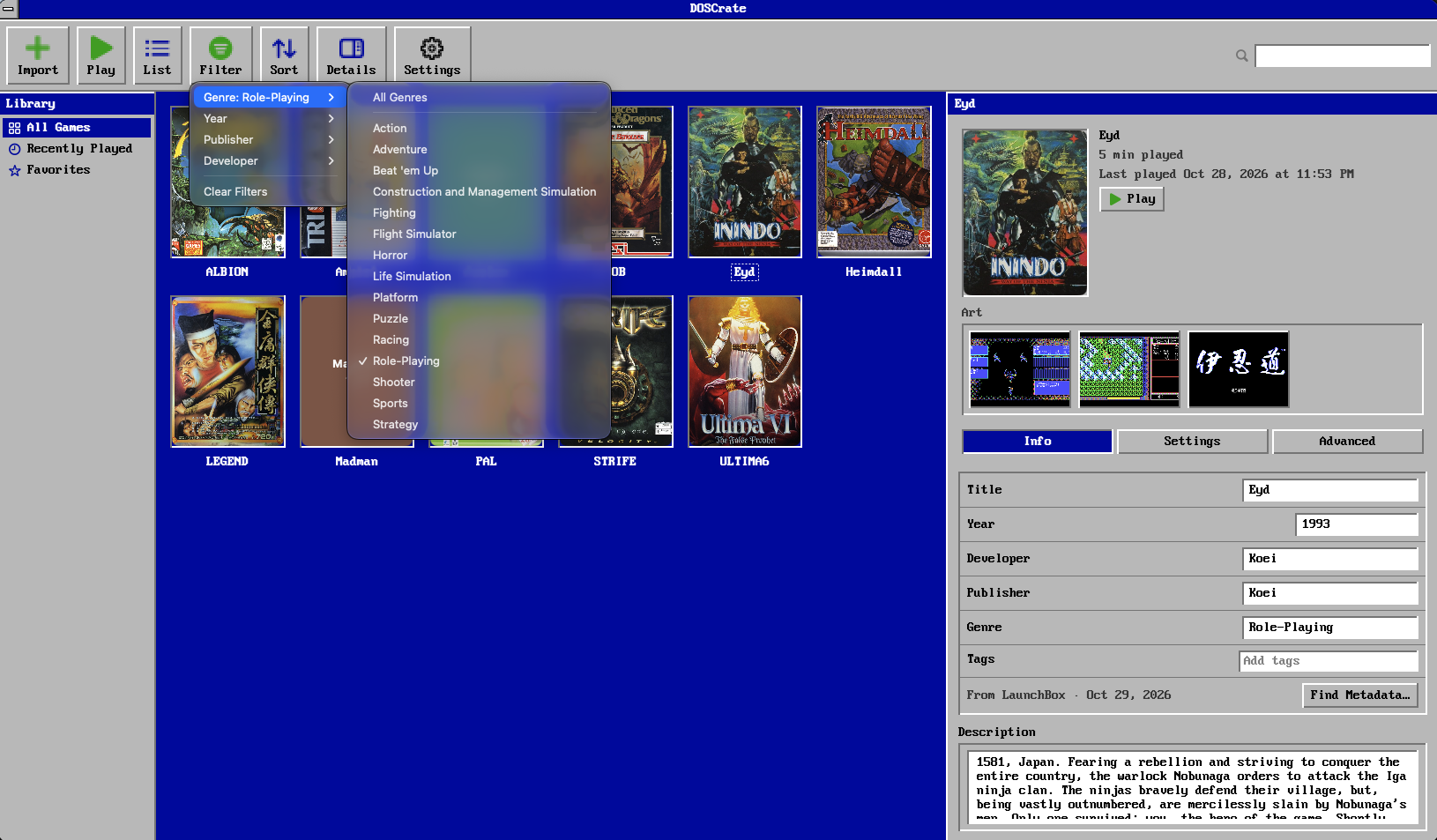
Filtering by genre, year, publisher, or developer — with LaunchBox cover art and screenshots in the inspector.
Hardware presets without the .conf
Instead of editing INI sections by hand, DOSCrate generates a deterministic DOSBox Staging configuration on launch from global defaults and per-game overrides:
- Era presets — from IBM PC XT (1981) through 286, 386, 486, and Pentium (1995), plus Auto.
- Display & CPU — CPU cycles (
Preset,Auto,Max, or a fixed rate), RAM (1–64 MB), aspect-ratio correction, and CRT shaders. - Audio & input — Sound Blaster model, Gravis Ultrasound, General MIDI (
.sf2SoundFont) or Roland MT-32 ROMs, mouse capture, and gamepad support. - Discs & floppies — attach and reorder CD-ROMs (mounted as
D:) and floppies (mounted asA:), plus custom[autoexec]lines when a game needs something specific.
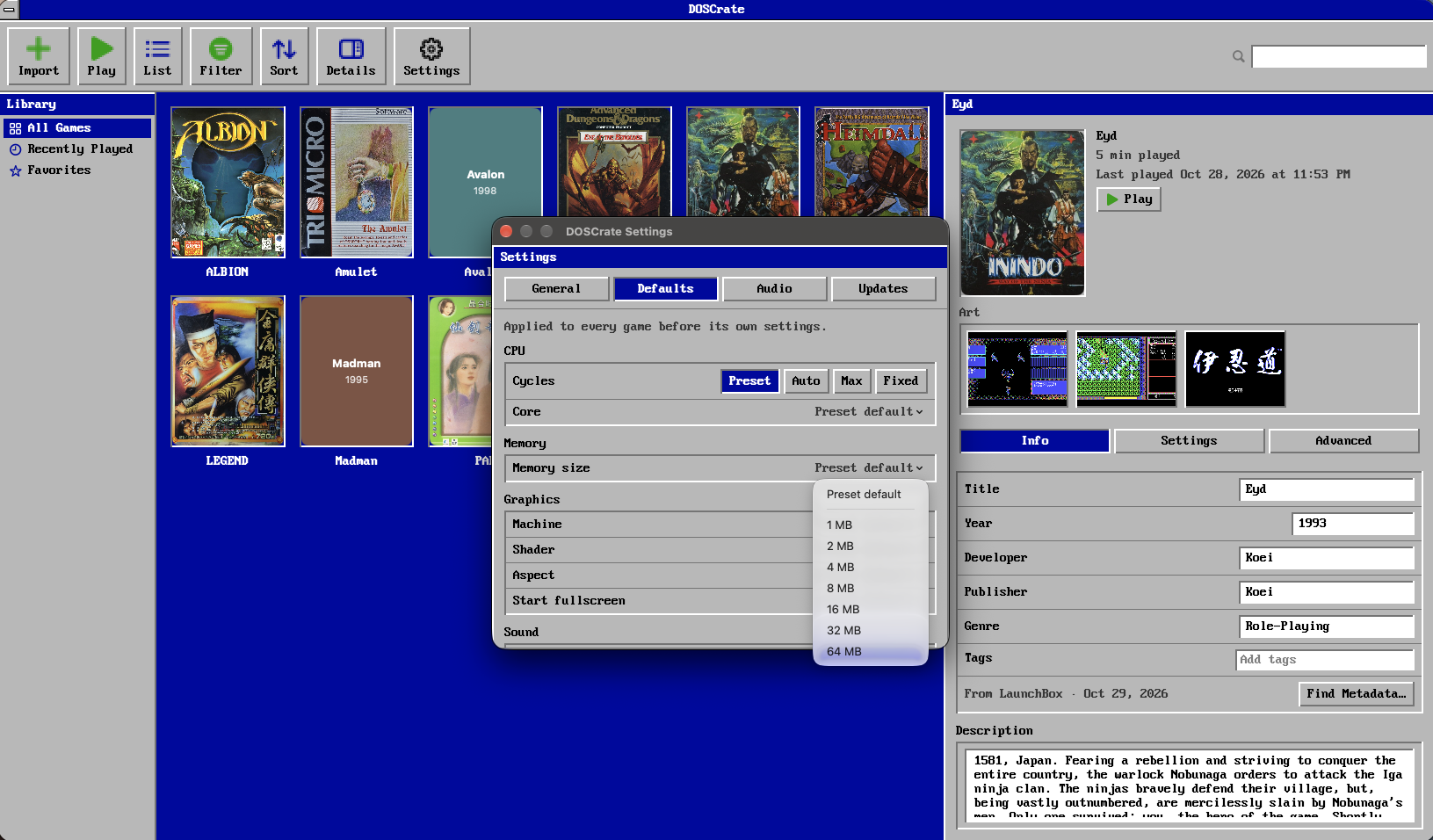
Global defaults in the Settings sheet; every game can override them in its own inspector.
Two visual themes
The default DOS Theme leans all the way into the 16-colour VGA palette — #0000AA
desktop blue, #C0C0C0 beveled panels, pixel icons, and VileR’s PxPlus IBM VGA 8x16
bitmap font. If you prefer your Mac to look like a Mac, a single toggle switches the whole
app to a native macOS split view and standard controls.
Under the hood
The core logic lives in DOSCrateKit, a Swift 6 package under strict concurrency split into
five modules: LibraryKit (.doscrate bundle I/O and FSEvents watching), ConfigKit
(hardware presets and .conf generation), ImportKit (archive/disc import and executable
ranking), LauncherKit (child-process lifecycle and play-time tracking), and MetadataKit
(LaunchBox XML indexing and fuzzy matching).
DOSCrate ships as a Developer ID–signed, notarized DMG for macOS 15+ on Apple Silicon, with in-app updates via Sparkle and an unmodified DOSBox Staging 0.83.0 runtime bundled inside.